How to Create a Newsletter in Mailchimp

How to Create a Newsletter in Mailchimp

A newsletter is one of the simplest ways to stay connected with your audience.

It gives you a regular opportunity to share useful content, promote your services and remind people that your business exists.

Because let's be honest, even your favourite clients are not sitting at home thinking about your business every day.

A regular newsletter helps keep you visible.

Here is how to create one using Mailchimp.

Step 1: Decide What Your Newsletter Is For

Before designing anything, decide on the purpose of your newsletter.

You might use it to:

  • Share helpful tips
  • Promote new blog posts
  • Announce products or services
  • Share business updates
  • Build relationships
  • Drive traffic to your website

Your newsletter does not need to do everything.

Choose a primary purpose.

Step 2: Decide How Often You Will Send It

Consistency matters more than frequency.

You might send:

  • Weekly
  • Fortnightly
  • Monthly

Choose a schedule you can realistically maintain.

Do not promise a weekly newsletter if you already know that you will disappear after three weeks.

Start with a schedule that works for your business.

Step 3: Create Your Newsletter Campaign

Log in to Mailchimp and create a new email campaign.

Give it a clear internal name.

For example:

October Newsletter

or:

Weekly Marketing Tips 1

This helps you stay organised when reviewing past campaigns.

Step 4: Choose Your Audience

Choose who should receive your newsletter.

This may be:

  • Your full audience
  • A particular segment
  • Subscribers interested in a specific topic

Always check that you have selected the correct recipients.

Step 5: Choose a Consistent Layout

Your newsletter should be easy to recognise.

You might use the same structure each time.

For example:

Header

Your logo or business name.

Main Feature

Your key message or article.

Helpful Tip

One practical piece of advice.

What's New

A product, service or update.

Call to Action

One clear next step.

Using a consistent structure saves time and helps readers know what to expect.

Step 6: Add Your Branding

Use your:

  • Brand colours
  • Fonts
  • Logo
  • Images
  • Voice

Your newsletter should feel like an extension of your website and business.

Consistency creates recognition.

Step 7: Write an Engaging Introduction

Start with something human.

You might:

  • Share a quick observation
  • Ask a question
  • Tell a short story
  • Mention something relevant to your audience

Then lead into your main content.

You do not need to write a formal corporate announcement unless that is genuinely your brand voice.

Write like a person.

Your subscribers are people too.

Step 8: Add Your Main Content

Focus on one key message.

This could be:

  • A new blog post
  • A business update
  • A promotion
  • A helpful tip

Keep paragraphs short and easy to scan.

If you are promoting a longer article, summarise the value and encourage people to click through to your website.

Step 9: Add a Clear Call to Action

Every newsletter should give readers a clear next step.

For example:

  • Read the Blog
  • Book a Call
  • View the Offer
  • Download the Guide
  • Learn More

Avoid adding too many competing actions.

If everything is important, nothing feels important.

Step 10: Write Your Subject Line

Your subject line should relate to the content inside.

Examples:

  • This week's email marketing tip
  • 3 things I learned this week
  • Your October business update
  • The mistake I keep seeing businesses make

Make it interesting without becoming misleading.

Step 11: Test Before Sending

Before sending your newsletter:

  • Check links
  • Review spelling
  • Check formatting
  • Preview on mobile
  • Send yourself a test

Do not skip this step.

Your subscribers should never be the first people to discover that your button leads to nowhere.

Newsletter Content Ideas

If you are wondering what to include, try:

  • A new blog post
  • A quick tip
  • A behind-the-scenes update
  • A client success story
  • A favourite tool
  • An upcoming event
  • A special offer
  • A personal lesson relevant to your business

Create a simple content bank so you are never starting from a completely blank screen.


Ready to Start Your Newsletter?

A good newsletter does not need to be complicated.

It needs to be useful, consistent and relevant to the people receiving it.

Why Software Integrations Cost More Than You Think

Why Software Integrations Cost More Than You Think

If you've ever found yourself saying...

"Surely these two programs can talk to each other?"

...you're not alone.

It's one of the most common frustrations I hear from business owners.

On paper, everything looks straightforward.

You have a website.

You have a CRM.

You have an email marketing platform.

You have a booking calendar.

You have accounting software.

Each platform promises to make your business easier.

Then reality sets in.

Your website collects an enquiry... but it doesn't automatically add the person to your CRM.

Your CRM stores the contact... but it doesn't send your welcome email.

Your booking software confirms the appointment... but it doesn't notify your team.

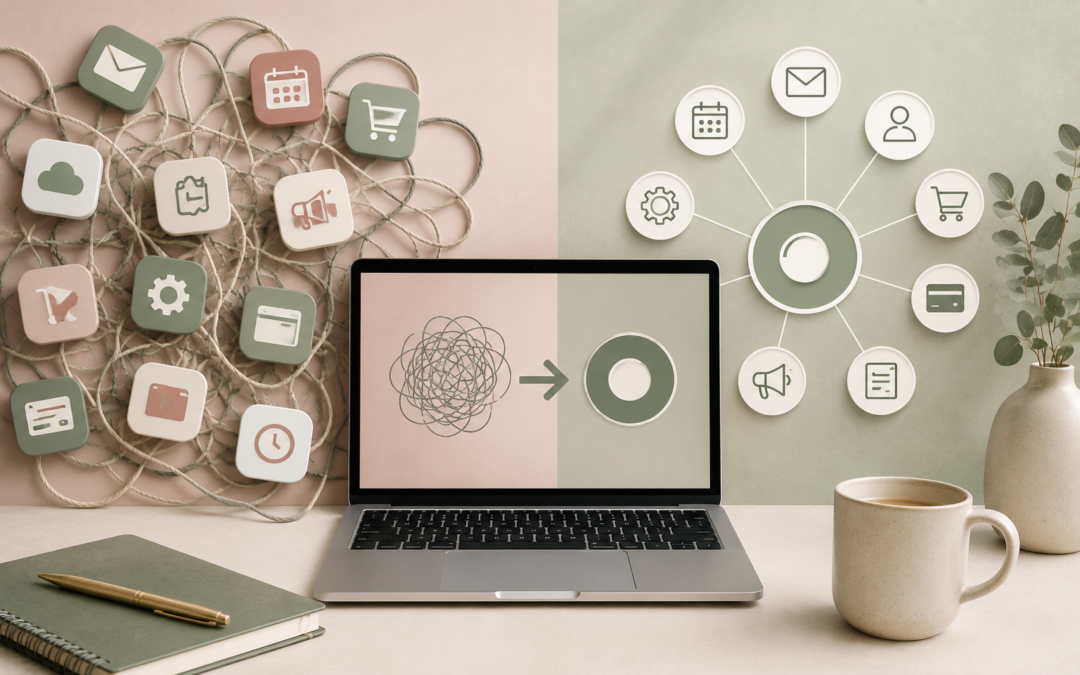
Suddenly you're searching Google for phrases like "How do I connect..." and before you know it, you're paying for another platform whose sole purpose is making your existing platforms communicate.

I've seen this happen so many times that I now call it the integration trap.

What is a software integration?

Let's keep it simple.

A software integration allows two different programs to share information.

For example:

  • Someone fills in a form on your website.
  • Their details are automatically added to your CRM.
  • A welcome email is sent.
  • A task is created for your team.
  • A text message confirms the booking.
  • A follow-up reminder is scheduled.

When everything works together, it's brilliant.

Your customers receive a seamless experience and your business runs far more efficiently.

The problem isn't the idea of integrations.

The problem is how quickly they become complicated.

Every connection creates another dependency

Imagine building a bridge between two islands.

It works perfectly.

Then you build another bridge.

And another.

Soon you've created a network of bridges.

If one bridge closes, traffic is affected everywhere.

Business software works in much the same way.

You connect your website to your CRM.

Your CRM connects to your email marketing.

Your email marketing connects to your webinar software.

Your webinar software connects to your course platform.

Your course platform connects to your payment system.

Now imagine one platform changes an update.

Or an API changes.

Or your subscription expires.

Or someone accidentally disconnects an automation.

Suddenly your carefully designed system stops working.

The frustrating part?

You often don't notice until a customer tells you.

The hidden costs nobody includes in the quote

When someone quotes you for a website, they rarely include the ongoing cost of maintaining integrations.

Yet these costs can be significant.

You might pay for:

  • Integration software
  • Premium automation plans
  • Developer support
  • Ongoing maintenance
  • Troubleshooting
  • Software upgrades
  • Extra user licences

None of those costs are obvious when you're comparing website quotes.

They appear later.

Sometimes months later.

Time spent fixing technology is time you're not serving clients

I always ask clients one question.

"How much is your time worth?"

If you spend two hours every week trying to work out why an automation stopped working, that's over 100 hours every year.

Imagine what you could do with an extra 100 hours.

You could:

  • Meet more clients.
  • Develop a new service.
  • Take a holiday.
  • Spend more time with your family.
  • Focus on marketing.

Instead, you're watching YouTube tutorials trying to reconnect software.

That isn't why you started your business.

Integrations aren't always the answer

Now, don't get me wrong.

I'm not saying integrations are bad.

In fact, they're essential for many larger organisations that rely on specialised software.

But most small businesses don't need dozens of different systems connected together.

They need simplicity.

I've found that many businesses assume they need enterprise-level technology when what they actually need is a platform that already includes the tools they use every day.

That's a very different approach.

A real conversation that stuck with me

Not long ago, I met with a business owner who proudly showed me all the software they were using.

They had spent months researching the "best" platform for every individual task.

The best website.

The best CRM.

The best booking software.

The best email marketing platform.

The best funnel builder.

Individually, every decision made sense.

Collectively, it had become a nightmare.

Nothing worked together properly.

Every new customer required information to be copied between systems.

When something broke, nobody knew where the problem started.

By the end of our conversation they said something I'll never forget.

"I spend more time managing software than I do managing my business."

That's exactly the situation I want to help business owners avoid.

Think about your customer

It's easy to focus on what software means for you.

But what about your customers?

Imagine they:

  • Complete a contact form.
  • Receive no confirmation.
  • Book an appointment.
  • Never receive a reminder.
  • Fill in the same information again.
  • Receive duplicate emails.
  • Get the wrong message.

They don't know an integration failed.

They simply think your business isn't organised.

Every broken automation affects your customer's experience.

My philosophy is simple

I don't believe technology should become another full-time job.

It should quietly work in the background while you focus on serving your clients.

That's why I've become such a strong advocate for simplifying business systems.

Not because simpler is trendy.

Because simpler is sustainable.

When your website, CRM, email marketing, automation, forms, calendars and customer information already live in one platform, there are fewer moving parts.

Fewer moving parts usually mean fewer problems.

Build a business that's easier to run

One of the biggest lessons I've learnt over the years is this.

The businesses that grow consistently aren't always the ones with the most technology.

They're the ones with technology that supports the way they work.

That's one of the reasons I recommend Buzzlink.

Instead of stitching together multiple platforms and hoping they continue communicating, Buzzlink brings your website, CRM, email marketing, workflows, booking calendar, forms, social media scheduling, sales funnels and customer management into one connected system.

It means fewer integrations.

Fewer subscriptions.

Less troubleshooting.

And far more time to focus on growing your business.

Ready to simplify your business?

If you're spending more time managing software than serving your customers, it might be time to rethink your technology.

I'd love to show you how Buzzlink can help you simplify your systems, reduce unnecessary complexity and build a business that works smarter, not harder.

As a Buzzlink Partner, I can help you choose the right setup and save $500 on your Buzzlink setup when you sign up using my exclusive partner link.

Getting Started with Mailchimp: A Beginner’s Guide

Getting Started with Mailchimp: A Beginner’s Guide

Email marketing is one of the most effective ways to build a relationship with your audience without relying entirely on social media.

Your social media followers belong to the platform. Your email list is an audience you can communicate with directly.

That is where Mailchimp comes in.

Mailchimp is an email marketing platform that allows you to collect subscribers, organise your audience, create email campaigns and automate parts of your marketing.

If you are completely new to Mailchimp, the platform can feel like it has approximately 4,000 buttons, menus and settings waiting to confuse you. The good news is that you do not need to understand everything before you start.

You just need to understand the foundations.

In this guide, I will walk you through exactly how to get started.

Step 1: Create Your Mailchimp Account

The first step is to create your account.

You can get started with Mailchimp here:

Mailchimp

Once you have created your account, you will be asked to provide information about your business.

This may include:

  • Your business name

  • Your website

  • Your business address

  • Your industry

  • Your existing email contacts

Take your time completing this information. Some of these details may appear in your email footer or be used to help configure your account.

Step 2: Familiarise Yourself with the Dashboard

Once inside Mailchimp, spend a few minutes looking around.

The main areas you will use include:

Audience

This is where your subscribers and contacts are stored.

You can:

  • Add contacts

  • Import existing subscribers

  • Create groups

  • Add tags

  • Build segments

  • View subscriber information

Your audience is the foundation of your email marketing.

Campaigns

This is where you create and send marketing emails.

You can create:

  • Regular email campaigns

  • Automated email sequences

  • Customer journeys

  • Other marketing campaigns depending on your plan and account setup

Automations

Automations allow Mailchimp to send emails based on actions or triggers.

For example, someone might:

  1. Join your email list.

  2. Receive a welcome email.

  3. Receive another email two days later.

  4. Receive an offer a few days after that.

Once set up correctly, automation can continue working in the background.

Step 3: Set Up Your Audience

Before you start sending emails, you need somewhere for your subscribers to live.

In Mailchimp, this is your Audience.

Go to your Audience area and check your existing settings.

Make sure your:

  • From name is correct

  • Reply-to email address is correct

  • Business information is accurate

  • Audience fields are relevant

For most businesses, you may want to collect information such as:

  • First name

  • Last name

  • Email address

Do not go overboard asking for information immediately.

Every additional question on a signup form creates another opportunity for someone to think, "Actually, I cannot be bothered."

Start simple.

You can always collect additional information later through forms, surveys, tags or customer activity.

Step 4: Add Your Existing Contacts

If you already have an email list, you may be able to import those contacts into Mailchimp.

Before importing anyone, make sure they have genuinely given you permission to receive marketing emails.

A bigger email list is not automatically a better email list.

A list of 500 people who actually want to hear from you is far more valuable than a list of 5,000 people who wonder why you suddenly appeared in their inbox.

To import contacts:

  1. Go to Audience.

  2. Select the option to manage or import contacts.

  3. Upload your CSV or spreadsheet file.

  4. Match your spreadsheet columns with the relevant Mailchimp fields.

  5. Review the information before completing the import.

  6. Add tags if you want to identify where the contacts came from.

For example, you might use tags such as:

  • Website subscriber

  • Lead magnet

  • Client

  • Webinar attendee

  • Course student

  • Event attendee

Tags can make your audience much easier to organise later.

Step 5: Create Your Signup Form

Now it is time to give new people a way to join your list.

Your signup form could be used on:

  • Your website

  • A landing page

  • A blog

  • Social media

  • A lead magnet page

  • An event registration page

When creating your form, think about what someone receives in exchange for giving you their email address.

You might offer:

  • A free guide

  • A checklist

  • A discount

  • A webinar

  • A quiz

  • Weekly tips

  • Exclusive content

Your offer needs to answer one important question:

Why should someone give you access to their inbox?

"Subscribe to my newsletter" is not always the most exciting invitation on the internet.

Be specific about the value.

Instead of saying:

Join my newsletter.

Try something like:

Get practical weekly marketing tips to help you grow your business without spending every waking hour on social media.

Now people understand what they are signing up for.

Step 6: Create Your First Email Campaign

Once you have subscribers, you can create your first campaign.

Inside Mailchimp, create a new email campaign and work through the setup.

You will generally need to:

  1. Choose your recipients.

  2. Add your sender name.

  3. Add your sender email address.

  4. Write your subject line.

  5. Add preview text.

  6. Design your email.

  7. Add your content.

  8. Review your settings.

  9. Send a test email.

  10. Schedule or send your campaign.

Choosing Your Recipients

You may choose:

  • Your entire audience

  • A segment

  • A group

  • Tagged contacts

If you are just starting, your entire audience may be appropriate.

As your list grows, segmentation becomes more important.

Step 7: Write a Strong Subject Line

Your subject line has one job.

It needs to encourage someone to open your email.

Avoid trying to be clever just for the sake of being clever.

Instead, focus on being:

  • Clear

  • Relevant

  • Interesting

  • Specific

For example:

Weak: Monthly Newsletter

Better: 5 ways to get more from your email list

The second option gives the reader a reason to care.

Step 8: Keep Your First Email Simple

Your first campaign does not need:

  • Fifteen different fonts

  • Seven animated GIFs

  • Every colour in your brand palette

  • A novel disguised as an email

Simple works.

A good beginner email structure is:

Opening

Start with something relevant to your audience.

Main Message

Share one key idea, update, tip or offer.

Call to Action

Tell the reader what you want them to do next.

For example:

  • Read the blog

  • Download the guide

  • Book a call

  • View the product

  • Reply to the email

One clear action is usually better than giving people seventeen options and hoping they choose one.

Step 9: Send Yourself a Test Email

Before sending your campaign, always send yourself a test.

Check:

  • Subject line

  • Preview text

  • Spelling

  • Links

  • Images

  • Formatting

  • Mobile appearance

  • Call-to-action buttons

Also read your email as if you were the subscriber.

Ask yourself:

Would I know what this email is about?

Would I know what I am supposed to do next?

Would I actually want to receive this?

If the answer is no, make some changes before sending.

Step 10: Review Your Results

After your campaign has been sent, do not simply forget about it and immediately start creating the next one.

Look at your results.

Pay attention to metrics such as:

  • Opens

  • Clicks

  • Engagement

  • Unsubscribes

These numbers can help you understand what your audience responds to.

Over time, you can use this information to improve your:

  • Subject lines

  • Email content

  • Calls to action

  • Sending frequency

  • Segmentation

  • Overall strategy

What to Do Next

Once you have completed the basics, I recommend working through these next steps:

  1. Set up your audience properly.

  2. Import your existing contacts.

  3. Create a signup form.

  4. Start growing your email list.

  5. Create your first campaign.

  6. Learn how tags, groups and segments work.

  7. Create a welcome automation.

  8. Start reviewing your campaign analytics.

You do not need to master every feature immediately.

Start with the foundations and build from there.

Email marketing is not about sending more emails simply because someone told you that you should email your list three times a week.

It is about building a useful and relevant relationship with your audience.

Mailchimp gives you the tools to do that.

The important part is learning how to use those tools strategically.

Ready to Get Started?

If you are ready to start building your email list and sending campaigns, you can create your Mailchimp account here:

Get Started with Mailchimp

Start simple.

Build your audience.

Send useful emails.

Then improve as you go.

Because the truth is, your first email campaign will probably not be your best one.

And that is completely fine.

The only way to get better at email marketing is to actually start sending emails.

The Hidden Cost of Cheap Websites

The Hidden Cost of Cheap Websites

"I've found someone who can build my website for $1,500."

It's a sentence I've heard countless times over the years.

My response is always the same.

"That's fantastic. Tell me exactly what you're getting."

Most of the time, the answer is silence.

The truth is, a website quote is a little like buying a new car. You can buy a basic model that gets you from A to B, or you can choose one with features that make the journey safer, smoother and far more enjoyable.

Neither option is wrong.

The problem is that many business owners don't realise they're buying the basic model until after they've handed over their money.

By then, every additional feature comes with another invoice.

I've seen businesses spend thousands trying to "save money" on a cheap website, only to discover it costs far more than investing in the right solution from the beginning.

The cheapest quote is rarely the cheapest solution

When you're comparing website quotes, it's natural to focus on the price.

After all, every business has a budget.

But here's what I encourage my clients to ask instead.

"What happens after my website goes live?"

That's where the real costs begin.

A website isn't a one-off purchase.

It's an ongoing business tool that needs updates, security, marketing, maintenance and continual improvement.

If none of those things are included, you'll probably end up paying for them separately.

The hidden costs nobody talks about

When I review websites for new clients, I often discover they're paying for far more than they expected.

Here's a typical example.

Service Estimated Monthly Cost
Website hosting $30 to $80
Premium plugins $20 to $100
Email marketing $40 to $300
CRM $50 to $250
Online bookings $20 to $60
Social media scheduler $25 to $80
Workflow automation $40 to $200
Form builder $20 to $60
Review management $30 to $100
Integration software $30 to $150

Suddenly, that "cheap" website is costing hundreds of dollars every month before you've even generated a lead.

Many business owners don't factor these expenses into their original budget because they weren't discussed during the sales process.

Every new feature becomes another project

One of the biggest frustrations I hear is this:

"I just wanted to add one simple thing."

Maybe it's an online booking calendar.

Maybe it's a lead magnet.

Maybe it's an automated email.

Maybe it's an online course.

Maybe it's a client portal.

Instead of simply switching on a feature, they're told they'll need another plugin, another subscription or more developer time.

A task that should take minutes suddenly becomes another project costing hundreds of dollars.

Technology should make your life easier.

Too often, it does the opposite.

Your website shouldn't rely on one person

Another issue I regularly come across is businesses that become completely dependent on their web developer.

Need to change a phone number?

Email the developer.

Need to update your pricing?

Email the developer.

Need to publish a blog?

Email the developer.

Need to add a team member?

Email the developer.

That's not a business asset.

That's a bottleneck.

I believe every business owner should feel confident making simple updates themselves without waiting days or weeks for someone else to make a five-minute change.

Software subscriptions quietly add up

One of my favourite exercises with new clients is asking them to list every piece of software they're paying for.

It usually starts like this.

"We only have a few."

Then we start writing.

Website hosting.

Email marketing.

CRM.

Booking system.

Social scheduler.

Canva.

Automation software.

SMS platform.

Calendar software.

Course platform.

Landing page builder.

Form builder.

Review software.

By the time we've finished, they're often surprised to discover they're paying for ten, fifteen or even twenty different subscriptions every month.

Many of those platforms perform similar functions.

Some are barely being used.

Others don't integrate properly.

Managing all of them becomes another full-time job.

Time is a business cost too

When people think about website costs, they usually focus on money.

I also look at time.

How many hours do you spend:

  • Logging into different systems?
  • Copying information between platforms?
  • Following up enquiries manually?
  • Sending appointment reminders?
  • Updating customer records?
  • Exporting and importing spreadsheets?

Every repetitive task steals time from serving clients, creating products or growing your business.

When those processes are automated, you don't just save money.

You gain back hours every week.

That's often the biggest return on investment.

The businesses growing fastest are simplifying

One trend I've noticed over the last few years is that successful businesses are simplifying their technology.

They're moving away from patching together lots of different platforms and instead looking for systems that work together from the beginning.

That doesn't mean every business needs exactly the same software.

It means choosing technology that supports your business instead of creating more work.

For many of my clients, that's exactly why I recommend Buzzlink.

Instead of paying for separate systems for your website, CRM, email marketing, appointment bookings, workflows, forms, sales funnels and social media scheduling, Buzzlink brings everything together in one platform.

Less complexity.

Fewer subscriptions.

Less time spent trying to make software communicate with each other.

More time spent growing your business.

Ask better questions before signing a website contract

Before you accept your next website quote, I'd encourage you to ask these questions.

  • Who owns my website?
  • Can I update it myself?
  • What ongoing monthly costs should I expect?
  • Are there additional software subscriptions?
  • Does it include a CRM?
  • Does it include email marketing?
  • Can I automate follow-up emails?
  • Can clients book appointments online?
  • Can I build landing pages?
  • Can I create sales funnels?
  • What happens if I want to expand my business in twelve months?

The answers will tell you far more than the quoted price ever will.

Invest in a business system, not just a website

A website is one of the most important investments you'll make in your business.

But it's only valuable if it helps you attract enquiries, build relationships and generate sales.

The cheapest website isn't always the most affordable option.

Likewise, the most expensive website isn't automatically the best.

The right solution is the one that supports your business today while giving you room to grow tomorrow.

I've seen businesses spend thousands fixing decisions they thought were saving them money.

I'd much rather help you choose the right path from the beginning.

If you're planning a new website or wondering whether your current setup is costing you more than it should, let's have a conversation.

I'll happily show you how Buzzlink can simplify your business, reduce unnecessary software subscriptions and bring your website, CRM, email marketing, automation and customer management together in one easy-to-use platform.

Ready to simplify your business and save money?

If you're tired of paying for multiple software subscriptions and want a platform that works as hard as you do, Buzzlink could be exactly what you're looking for.

Use my exclusive partner link below and receive $500 off your Buzzlink setup.

Why blogging is good for your business

Why blogging is good for your business

Tossing the idea of whether to introduce a blog to your business? Not sure if it's worth your time or effort? With billions of people online, here is why blogging is good for your business.

Marketing Online

Blogging provides another free online marketing platform for your business. With you creating regular blogs, you are giving your target market more reasons to come and visit your website. The overall objective of social media and marketing, in general, is to convert your target market to paying customers. Creating regular content is inviting potential customers to your website because they want to read more. Upon arrival, many visitors go exploring your website to learn more about you.

Showcase Your Expertise

Writing blogs, especially when you answer your market's key pain or pleasure points, enables your target market to see you as an expert and want to learn more from you or work with you.

Pain points are the issues your target market is currently facing and they are seeking help to resolve them. Pleasure points are identifying how your product or services are going to help make your audience feel. The resolution to their pain point.

Opportunity to Upsell

A great strategy with a blog is to write about a pain or pleasure point, and if you have a product or service you can use your article to upsell and encourage your reader to buy.

Repurposing Your Content For Social Media

You can use your blogs to create social media content, and be able to repurpose them frequently by either sharing all blog content, a snippet from the blog and creating teasers to go to your website and read the full blog.

Creating Visibility For Your Business

People discover information online today, so if you want to be a discovered and become a visible expert then blogging and social media will provide you with the visibility. It helps to search key topics your audience wants to know about and write about them.

Expanding Your Exposure

If you introduce an interview series to your blog, you have the potential to open your business to a wider audience, because those you interview will also share about the interview to their audience.

Think of your bigger picture for your blog, it's more than just a simple article, it is another platform to build your business exposure, expertise and connections.