by Anne Clark | Jun 17, 2025 | Business, Online Business Manager
There is a story many entrepreneurs tell themselves in the early stages of business.
“I’ll just figure it out myself.”
“It’s faster if I do it.”
“I’ll outsource later, once I’ve grown.”
It seems logical. Resourceful. Even brave. But here’s the truth.
Doing it all yourself might save you money in the short term
It will cost you far more in the long run.
And not just financially.
The Real Cost of DIY Culture
When you’re the strategist, the implementer, the marketer, the tech support, the social media manager and the coach — the business may still be moving, but you’re the engine that never shuts off.
The real cost of DIY shows up as:
-
Decision fatigue that clouds your vision
-
Missed opportunities because you’re stuck in the backend
-
Lack of consistency in your marketing or launches
-
An overwhelmed nervous system that stops you from scaling
You’re in constant motion, but without the structure to support sustainable growth.
You’re not just working hard. You’re working without support — and that changes everything.
What Business Feels Like When You’re Supported
A client recently told me, “It’s the first time I’ve been able to exhale in my business.”
That’s what happens when you stop trying to hold everything together on your own.
When you have someone who gets the vision, knows how to execute, and keeps the business moving while you focus on what you do best — everything changes.
You show up more consistently
You make decisions more clearly
You stop leaking time and energy on things you were never meant to do in the first place
You lead.
What to Ask Yourself Today
If you’ve been running on your own for too long, ask yourself:
-
What tasks take the most from me each week, yet move me the least?
-
How much would my business grow if I had strategic support behind the scenes?
-
Am I building something that could actually scale without me?
Your answers will tell you everything you need to know.
Ready to Step Into a New Chapter?
The truth is, scaling a business doesn’t require you to do more
It requires you to let go of what no longer serves you — including the belief that you have to figure it all out alone.
If you’re ready to be supported by someone who brings structure, strategy and soulful alignment into your business, I’d love to talk.
Because your time is too valuable to spend it doing things that someone else could do better, faster, and with more flow.
by Anne Clark | May 20, 2025 | Business, Digital Marketing, Online Business Manager
If you’re recording long-form video content for YouTube, a web TV show, or your signature series, you’re sitting on a content goldmine. But too many entrepreneurs stop at the upload.
Here’s where I step in.
My specialty is taking that one high-value video and turning it into a powerful, multi-platform content strategy. Without you needing to create anything else from scratch.
This isn’t about doing more—it’s about making what you’ve already created work harder.
Turning One Video into Everything You Need
Here’s how it works:
1. Audio Becomes a Podcast
Once your video is recorded, I extract the audio, clean it up, and add your professional intro and outro. You’ve now got a podcast episode ready to upload to Spotify, Apple Podcasts, and more. It’s a seamless way to expand your reach without any extra effort on your end.
2. Reels and Snippets for Social Media
I scan the video for standout moments and turn them into short, branded reels with captions and headings. These clips are built for impact, tailored to platforms like Instagram, Facebook, LinkedIn and TikTok.
3. Blog Posts From Transcripts
Using the video transcript, I create polished, SEO-optimised blog articles that capture your message and tone. These aren’t robotic rewrites—they’re high-quality pieces that reinforce your expertise and improve your Google ranking.
4. Email Newsletters That Engage
Each video is a story waiting to be told to your list. I distil the key themes into a newsletter article that keeps your subscribers engaged and drives them back to your offers, website or podcast.
5. LinkedIn Articles That Build Authority
For clients looking to grow a presence on LinkedIn, I convert your video insights into a thoughtful, structured article that positions you as a thought leader.
6. Social Posts and Carousels
From your original video, I generate bite-sized takeaways, quotes, and educational posts that translate beautifully into static images, carousel slides, and captions for your broader content plan.
It Doesn’t End There
Three to six months later, I revisit your original content and recreate new versions—tweaked headlines, different visuals, updated angles—so your best material continues to show up without repeating itself. This long-term content recycling strategy keeps your platforms active and relevant.
Why This Works
Your video is packed with value – but without repurposing, most of that value disappears the moment it’s uploaded.
By turning one piece of content into many, we:
-
Save time
-
Maintain consistency across channels
-
Reach your audience wherever they are
-
Maximise the ROI of every video you record
Ready to Make Your Video Content Work Harder?
If you’re investing in video for your YouTube channel or TV show, I can help you transform that single effort into weeks of content across multiple platforms. You stay in your zone of genius—I’ll take care of the rest.

by Anne Clark | May 14, 2025 | Business
A No-Nonsense Guide for Mailchimp Users Who Want to Land in the Inbox — Not the Junk Folder
You spend time crafting the perfect email in Mailchimp, hit send, and then… crickets.
No opens. No clicks. No love.
Before you start questioning your entire life and business, check your spam folder. Chances are, that’s where your masterpiece is hiding.
Here’s why it happens — and how to fix it.
The Top Reasons Your Emails Are Going to Spam
1. Your Subject Line Screams “I’m Spam!”
Too many exclamation marks, all caps, or spammy phrases like “Free!!!” or “Buy now” will trigger filters.
✅ Keep it clean, clever, and curiosity-driven.
2. You’re Using a Dodgy “From” Email Address
If you’re still sending from a Gmail, Hotmail or Yahoo address — stop.
✅ Use a domain-based email (like you@yourbusiness.com) and verify it in Mailchimp under Domains.
3. Your Audience Didn’t Consent (or Forgot They Did)
If your list is full of cold contacts, bought emails, or people who’ve forgotten who you are, you’ll get marked as spam real fast.
✅ Only email people who explicitly opted in, and remind them who you are in your welcome emails.
4. Your Email Content is a Hot Mess
Too many images, not enough text, missing an unsubscribe link, or broken code? That’s a spam filter’s dream buffet.
✅ Keep a balance of images and text, always include your footer with your physical address and unsubscribe link, and test before you send.
5. Poor List Hygiene
Old, disengaged subscribers who haven’t opened your emails in months? They’re dragging down your sender reputation.
✅ Regularly clean your list. Use Mailchimp’s engagement tagging to remove or re-engage cold contacts.
6. You’re on a Shared IP That’s Been Naughty
Mailchimp sends from shared IPs. If another user spams hard, you can be affected.
✅ Maintain a high-quality list and send regularly — Mailchimp gives better sending reputations to active, clean users.
Quick Fixes to Keep You Out of Spam
✅ Authenticate Your Domain (SPF, DKIM, DMARC)
Sounds techy, but Mailchimp walks you through it under Website > Domains. This step tells inboxes: “Yes, I’m legit.”
✅ Use Mailchimp’s Inbox Preview & Spam Checker
Preview your email across devices and check for red flags before hitting send.
✅ Create a Welcome Sequence
Warm up your audience with automation. A friendly intro and some value-driven emails make it less likely they’ll mark you as spam later.
✅ Send Consistently
Ghosting your list for months and then suddenly showing up like “Hey bestie!” is a recipe for spam.
Be consistent. Weekly or fortnightly emails keep your domain warm and trustworthy.
✅ Ask Subscribers to Whitelist You
In your welcome email, teach subscribers how to add you to their address book or drag your email to the Primary tab (hello, Gmail users).
Treat Your Email List Like a VIP Lounge
Don’t invite randoms. Don’t scream at your guests. Don’t disappear for months and show up desperate.
Respect the inbox, and it’ll respect you back.
Bonus Tip:
Want to make sure your emails always get seen?
Use Mailchimp’s “Resend to Non-Openers” feature with a NEW subject line. But don’t overdo it. Once is enough — otherwise, you become the spam.

by Anne Clark | Apr 23, 2025 | Business, How To, LinkedIn
1. Sign Up or Log In
Go to www.linkedin.com.
Click Join now and enter your email address and password.
Follow the prompts to add your first and last name.
2. Add a Professional Profile Photo
Choose a clear, high-resolution headshot.
Smile, dress appropriately for your industry, and make sure your face takes up around 60% of the frame.
No pets, party hats, or sunglasses, unless you’re applying to be a rockstar.
3. Write a Compelling Headline
This appears right under your name and is your mini-billboard.
Don’t just use your job title. Use a value-based headline like:
Helping female-led brands build magnetic digital strategies | Digital Marketer | OBM | Podcast Pro
4. Fill Out the “About” Section
This is your personal elevator pitch. Write in the first person.
Mention:
- What you do
- Who you help
- Your mission or values
- A sprinkle of personality
Example:
I’m a spiritual OBM helping female entrepreneurs ditch the tech overwhelm and show up online with soul-aligned strategy. From email marketing to course launches, I turn chaos into clarity.
5. Add Your Work Experience
List your past and current roles, ideally with descriptions.
Use bullet points to highlight achievements, not just tasks.
Include results where possible (e.g., “Grew client’s list by 5K in 3 months”).
6. Add Skills
Choose key skills that match your niche (LinkedIn allows up to 50).
Prioritise the top 3 that reflect how you want to be known.
7. Ask for Recommendations
Reach out to past clients, managers, or colleagues for testimonials.
A good rec = social proof that sells without you saying a word.
8. Add Education & Certifications
Include schools, courses, certifications, and anything relevant to your career story.
Short courses (Mailchimp Academy, Online Marketing, VA Bootcamp)? Include them!
9. Customise Your URL
Go to “Edit public profile & URL” on the right-hand side.
Change your LinkedIn URL to something clean and easy like:
linkedin.com/in/yourname
10. Turn on “Open to Work” or “Open to Opportunities”
If you’re looking for clients or roles, enable this setting.
You can choose to show it to recruiters only or publicly.
11. Add Featured Content
Highlight your best work: PDFs, links, videos, blogs, testimonials, freebies.
This section is PRIME real estate—use it wisely!
12. Follow Relevant People & Companies
Build your network by connecting with peers, thought leaders, and potential clients.
Leave genuine comments on others’ posts to start showing up as a pro in your space.
13. Start Posting
Share a mix of:
-
Tips and value-based posts
-
Personal stories with lessons
-
Behind-the-scenes of your biz
-
Client wins and results
Tips:
-
Post at least 1-2 times per week to stay visible.
-
Keep your profile updated as your business or job changes.
-
Use a branded banner image at the top of your profile.
by Anne Clark | Apr 22, 2025 | Business
Facebook is Removing Videos from Groups: Here’s How to Save Yours Before They’re Gone
Heard the rumour? Facebook is clearing out videos from Facebook Groups, and if you’ve uploaded content over the years—training videos, lives, memories, or milestone moments—they might disappear. Poof. Gone.
But don’t stress. You don’t need to lose all your valuable content. With a few clicks (and a handy Chrome extension), you can download your videos and keep them safely stored.
Here’s how to save your Facebook Group videos before they vanish into the digital abyss.
Why Is Facebook Removing Group Videos?
Meta (Facebook’s parent company) has been gradually scaling back certain video features in Groups. They’re shifting focus toward Reels, Stories, and monetised video content – which means older video formats in private and public Groups are potentially getting the boot.
Translation? If you don’t download your videos now, you may not be able to access them again.
The Easiest Way to Download Facebook Group Videos (Using Chrome)
To download your videos easily, we recommend using a free Chrome browser extension called “Video Downloader for Facebook”. It’s quick, simple, and doesn’t require a tech degree.
Step-by-Step Guide
✅ Step 1: Use Google Chrome
This only works in Chrome—so if you’re a Safari or Firefox fan, it’s time to switch browsers (just temporarily, promise).
✅ Step 2: Add the Extension
- Head to the Chrome Web Store.
- Search for Video Downloader for Facebook™ by FDown.
- Click “Add to Chrome” and install the extension.
- Once added, you’ll see a little arrow icon in the top right of your browser bar.
✅ Step 3: Go to Your Facebook Group Video
- Navigate to the video you want to save inside your Facebook Group.
- Play the video.
- The arrow icon (the extension) should light up or show a download option.
✅ Step 4: Click to Download
- Click the Video Downloader for Facebook icon.
- Choose the video quality you want (usually “HD” or “SD”).
- Click Download.
- Your video will save directly to your computer.
✅ Step 5: Repeat for Any Other Videos You Want to Save
Rinse and repeat. If you’ve got loads, make a checklist and knock them over with a coffee in hand.
Tip: Organise Your Downloads
Create a folder on your desktop or Google Drive called “Facebook Video Archive” so you can keep everything sorted – especially if you plan to repurpose your content for other platforms (hello Instagram, YouTube, or your next course launch).
For my clients, I have been saving them by their business initials, giving it a number and then the title. eg: ACC 001 – How to Download your Facebook video – it will make it easier for me to set up a directory for them for quick reference.
Don’t Lose Your Content – Future-Proof It
Whether it’s client training sessions, member updates, or your latest “lives with heart” video series—don’t let Facebook’s clean-up sweep away your hard work. Take ten minutes today to download and store your best bits.
Because if not now… when?
Need help turning those videos into valuable evergreen content for your brand? I’ve got you. Let’s chat about how to repurpose, repackage and re-share your brilliance.

by Anne Clark | Mar 25, 2025 | Business, Digital Marketing
You’ve poured your heart into your business. You’ve posted regularly, updated your website, maybe even started an email list. But despite all the effort, you’re still not getting the visibility you hoped for.
Sound familiar?
You’re not alone. Many incredible business owners are doing all the things but still feeling unseen. The good news is—visibility isn’t about doing more. It’s about doing the right things, with the right intention and clarity.
Let’s dive into five common reasons your business isn’t getting noticed—and what you can do to change that.
1. You’re Blending In, Not Standing Out
If your brand looks and sounds like everyone else’s, it’s easy to get lost in the noise. Many business owners unintentionally dilute their uniqueness by trying to sound “professional” or follow what’s trending.
But your point of difference is you. Your story, values, and voice are what set your brand apart.
What to do:
-
Identify what makes your approach or business different.
-
Infuse personality into your marketing.
-
Focus less on trends and more on what feels aligned to you and your audience.
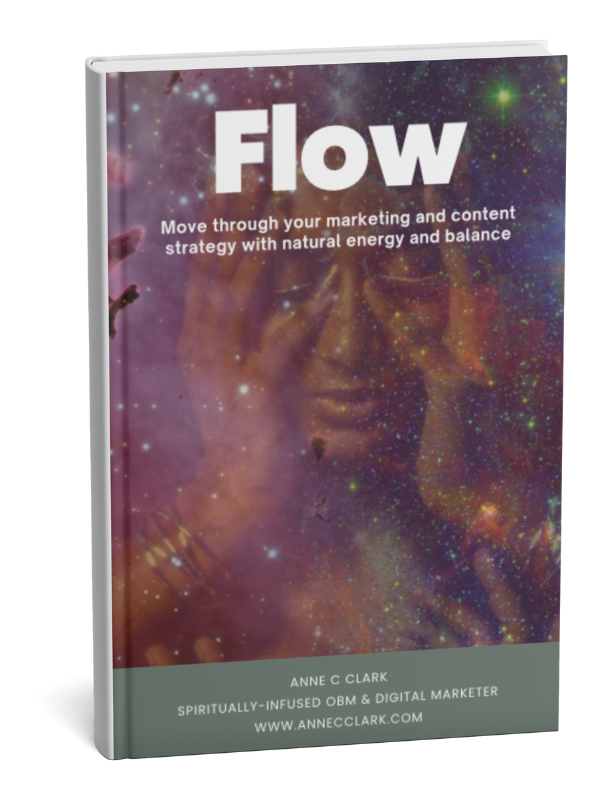
FLOW - Align Your Business with the Universe in 2025
Discover how to create soulful, aligned content and marketing strategies using the power of astrology, lunar cycles, and cosmic energy.
You’ve poured your heart into your business. You’ve posted regularly, updated your website, maybe even started an email list. But despite all the effort, you’re still not getting the visibility you hoped for.
Sound familiar?
You’re not alone. Many incredible business owners are doing all the things but still feeling unseen. The good news is—visibility isn’t about doing more. It’s about doing the right things, with the right intention and clarity.
Let’s dive into five common reasons your business isn’t getting noticed—and what you can do to change that.
1. You’re Blending In, Not Standing Out
If your brand looks and sounds like everyone else’s, it’s easy to get lost in the noise. Many business owners unintentionally dilute their uniqueness by trying to sound “professional” or follow what’s trending.
But your point of difference is you. Your story, values, and voice are what set your brand apart.
What to do:
-
Identify what makes your approach or business different.
-
Infuse personality into your marketing.
-
Focus less on trends and more on what feels aligned to you and your audience.
FLOW - Align Your Business with the Universe in 2025
Discover how to create soulful, aligned content and marketing strategies using the power of astrology, lunar cycles, and cosmic energy.