There is a quiet voice many capable, intuitive, and intelligent people live with every day.
It whispers things like:
Who do you think you are? Soon they will realise you are not as good as they think. You are one mistake away from being exposed.
This is imposter syndrome. And if you feel it constantly, not occasionally, you are not broken. You are usually growing.
What Imposter Syndrome Really Is
Imposter syndrome is not a lack of ability. It is the fear of being seen clearly.
At its core, imposter syndrome is the disconnect between who you are becoming and the version of yourself you still identify with. Your external life has expanded, but your internal identity has not fully caught up yet.
You might be experienced, qualified, intuitive, successful, or deeply knowledgeable, yet still feel like you are pretending.
That feeling does not mean you are a fraud. It means you are standing on the edge of expansion.
Why We Feel It So Strongly
Imposter syndrome does not come from nowhere. It is usually shaped by a mix of past conditioning, expectations, and identity shifts.
Some common roots include:
You were praised for being capable early When your worth was tied to being reliable, clever, or the one who had it together, you learned that mistakes were dangerous. Success felt safe only if it stayed small and manageable.
You have outgrown an old identity Your soul evolves faster than your self-image. When you step into new work, leadership, visibility, or purpose, your nervous system scrambles to keep you familiar and safe.
You are intuitive in a logical world If you work or live in a way that blends intuition, creativity, healing, or non-linear thinking, imposter syndrome can flare. Especially if you were taught that proof must be external, measurable, or validated by others.
You are doing soul work, not ego work Soul-aligned paths rarely come with neat rulebooks. When you are led by inner knowing rather than external permission, doubt often shows up first.
Why It Shows Up Right Before Alignment
Here is the truth most people do not hear.
Imposter syndrome intensifies right before a breakthrough.
It appears when you are stepping into visibility.
It shows up when you are about to be seen.
It gets louder when your work actually matters.
Why? Because the ego is designed to protect familiarity, not fulfilment. It would rather keep you small and safe than expanded and exposed.
Your soul, however, wants movement.
So the tension builds.
How Imposter Syndrome Blocks Your Path
When left unchecked, imposter syndrome does not just affect confidence. It quietly reroutes your life.
It can cause you to:
Delay decisions
Over-prepare and overwork
Undervalue your experience
Stay silent when you should speak
Play smaller than your actual capacity
Avoid opportunities that feel too aligned
Over time, this creates stagnation that feels confusing because on the surface, things look fine. But internally, something feels stuck.
That stuckness is your soul asking you to trust yourself.
How to Navigate Imposter Syndrome Without Fighting It
The goal is not to eliminate imposter syndrome. The goal is to stop letting it drive.
Here are grounded ways to work with it, not against it.
Name it when it appears Instead of believing the thoughts, notice them. Say quietly, this is imposter syndrome speaking. Awareness weakens its grip immediately.
Separate fear from truth Fear is loud and repetitive. Truth is calm and steady. Ask yourself, what do I actually know to be true about my experience, skills, or path?
Anchor into embodiment, not thinking Imposter syndrome lives in the mind. Come back to the body. Slow breathing, grounding, walking, or placing a hand on your chest brings you back into safety.
Stop asking for permission internally Many people wait to feel ready, confident, or validated before acting. Alignment comes after action, not before it.
Reframe doubt as a sign of growth Instead of asking why am I doubting myself, try asking what am I being invited to step into?
When Imposter Syndrome Is a Soul Signal
Sometimes imposter syndrome is not asking you to push harder.
It is asking you to realign.
If the doubt feels heavy, draining, or soul-tiring, it may be highlighting that you are trying to force a version of success that is no longer aligned.
Your soul does not need you to prove yourself.
It needs you to trust yourself.
The Quiet Truth
You do not feel like an imposter because you are unqualified.
You feel it because you are becoming someone new.
And every evolution comes with a moment where the old identity tries to pull you back.
Do not let it.
Your path does not require perfection.
It requires presence.
It requires courage.
It requires you to keep walking, even when the voice gets loud.
Email overwhelm is rarely about laziness or poor time management. It is usually a symptom of unclear boundaries, broken systems and unrealistic expectations.
Your inbox feels out of control because it has become the place where everything lands.
The psychological weight of unread emails
Every unread email represents a decision waiting to be made. Read, respond, delete, save, or ignore.
Multiply that by hundreds and your brain starts to associate your inbox with stress.
The result is avoidance, guilt and reactive behaviour.
Why modern inboxes are worse than ever
Email was never designed to handle marketing, notifications, collaboration, project management and customer support all at once.
Yet that is exactly what it does now.
Business owners often use email as:
A task manager
A filing cabinet
A communication hub
A reminder system
No wonder it feels heavy.
The myth of instant response
Many people feel pressure to respond immediately. This creates a constant state of alertness.
Fast replies are not the same as effective communication. Most emails do not require immediate action.
Training people to expect instant replies trains your nervous system to stay switched on.
Systems remove emotion
Overwhelm thrives in chaos. Systems remove decision fatigue.
Clear folders, filters and routines mean fewer decisions and less stress. Email becomes predictable rather than reactive.
Boundaries matter
Email overwhelm often reflects boundary issues. Saying yes too often. Being copied unnecessarily. Feeling responsible for everything.
It is okay to:
Ask to be removed from threads
Set response time expectations
Redirect conversations elsewhere
Email is a tool, not a boss.
Reclaiming control
The solution is not inbox zero. It is inbox intention.
Decide what email is for in your business. Design your system around that decision. Stick to it.
When your inbox supports your work rather than interrupts it, everything feels lighter.
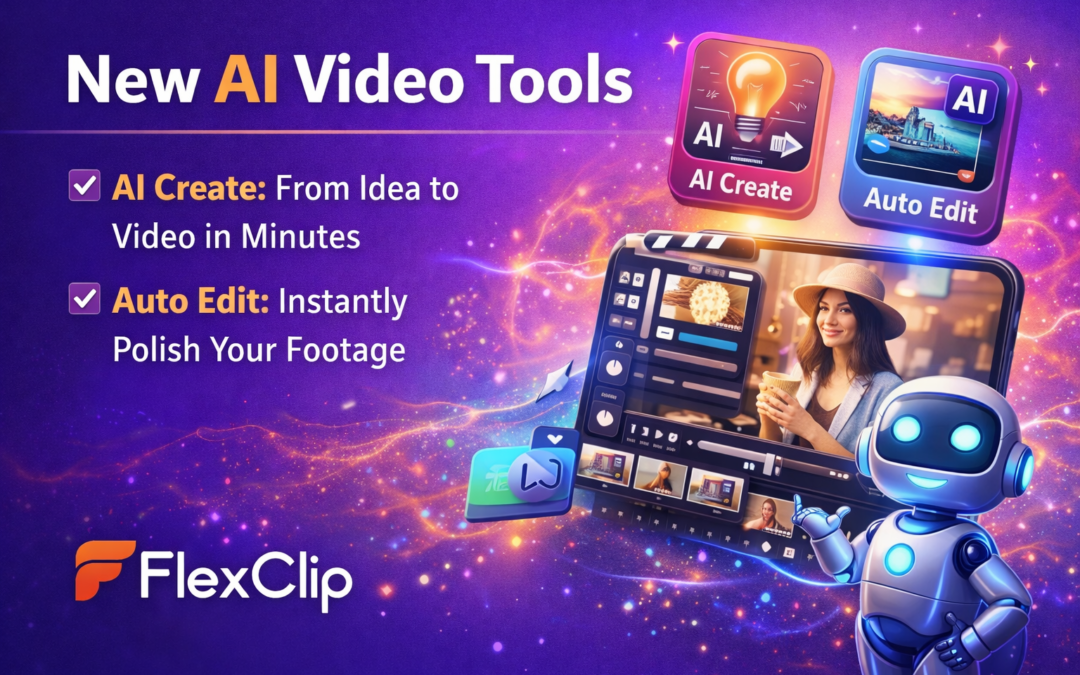
FlexClip allows you to create business videos quickly using built-in templates and editing tools.
Instead of building every element manually, I can:
Choose a template
Add the client’s photos or video clips
Insert branding colours and text
Add music or voiceover
Within minutes we have a polished video ready for their website.
Large Library of Stock Media
Another benefit is the built-in library of stock images, video clips, and music.
FlexClip gives you access to a large collection of media assets, which makes it easier to create visually engaging videos even when clients do not have professional footage available.
This is especially helpful for small businesses that are still building their brand content.
Ideal Length for Website Videos
Most website introduction videos work best when they are short and clear.
Typically I recommend videos between 30 and 90 seconds.
This gives enough time to introduce the business, explain the offer, and build a connection without overwhelming the viewer.
FlexClip makes it easy to trim clips, adjust timing, and structure the story so the video flows smoothly.
When Website Introduction Videos Work Best
Not every website needs a video, but many businesses benefit from them.
I often recommend website introduction videos for:
Coaches and consultants
Personal brands
service-based businesses
course creators
speakers and authors
These types of businesses rely heavily on trust and connection, and video helps establish both.
Templates That Help When You Feel Stuck
One feature I particularly appreciate in FlexClip is the template library.
Sometimes you know what message you want to communicate but you are not sure how to structure the video.
Templates help solve that problem.
They provide ready-made video structures that guide the storytelling process and help you turn your ideas into a finished video quickly.
Bringing Your Website to Life With Video
Video is becoming an essential part of digital marketing.
Whether you are creating reels for social media or introduction videos for your website, having the right editing tool makes the process much easier.
FlexClip allows business owners and marketers to create professional videos without the complexity of traditional editing software.
For me, it has become one of the simplest ways to create engaging video content for clients and help their websites feel more dynamic and personal.
The energy of 2026 is full of momentum, renewal and powerful spiritual shifts, and if you know how to work with it rather than against it, this year can become one of your most aligned yet. The universe is always speaking through cycles, seasons, lunar phases and sacred cultural celebrations, and when you understand these rhythms, navigating life becomes clearer and far less chaotic.
This article maps out the key spiritual, astrology and energy dates for 2026 so you can plan, manifest, reflect and grow with confidence. Consider it your cosmic roadmap for moving through the year with intention and intuitive clarity.
2026 Spiritual, Astrology and Energy Key Dates
A Month-By-Month Guide to Navigate Your Year with Purpose, Power and Alignment
2026 is a year of renewal, reinvention and rising into your next chapter with clarity. These dates will help you tune into the cosmic rhythm of the year instead of pushing against your own energetic tides. Think of this as your spiritual weather map for 2026.
Let’s walk through the year.
JANUARY 2026
Key Themes:
New beginnings, grounding, strategic planning, self leadership
Spiritual and Astrological Dates
1 January – New Year’s Day An energetic reset. Spend time aligning with the person you want to become. Perfect for intention setting and quiet reflection.
14 January – New Moon in Capricorn The universe’s project manager. Supports long term commitments, planning and creating grounded structure. Start your big 2026 goals here.
15 January – Makar Sankranti A Hindu solar celebration of light, gratitude and harvest. A wonderful day to release emotional heaviness and welcome new blessings.
25 January – Full Moon in Leo Bold, fiery and ready to roar. This moon amplifies creativity and self expression. Step into visibility.
Monthly Intention Prompt:
What foundation am I laying for the entire year?
FEBRUARY 2026
Key Themes:
Innovation, freedom, community, order and healing
Spiritual and Astrological Dates
12 February – New Moon in Aquarius Visionary energy. Great for thinking outside the box, refreshing ideas and starting collaborative projects.
19 February – Lantern Festival Represents illumination and the lifting of heaviness. Light a candle and ask for clarity.
27 February – Full Moon in Virgo Healing, purification and order. A fantastic time to reset routines, organise your space and fine tune your habits.
Monthly Intention Prompt:
Where can I simplify and streamline my life?
ALIGNED 2026: Marketing with intuition, rhythm and universal flow
Get Aligned, your 2026 guide to intentional business, energy, and flow. Sign up to receive access.
2 March – New Moon in Pisces A dreamy, intuitive moon. Perfect for deep reflection, spiritual connection and listening to your inner guidance.
6 March – Holi Festival of colours. A joyful energy of healing, forgiveness and renewal.
14 March – Full Moon in Libra Brings balance to relationships and invites harmony. A good time for repairing connections or setting boundaries.
20 March – Vernal Equinox Day and night are equal. Symbolises rebirth and new beginnings. Ideal for planting intentions.
21 March – Naw Ruz Baháʼí New Year. A beautiful moment for spiritual cleansing and resetting direction.
Monthly Intention Prompt:
What emotional patterns am I ready to release?
APRIL 2026
Key Themes:
Transformation, courage, rebirth, abundance
Spiritual and Astrological Dates
1 April – Easter Sunday Themes of renewal and hope. Release old burdens and step into fresh energy.
6 April – New Moon in Aries The true energetic new year. Aries sparks action, confidence and pioneering movement.
14 April – Full Moon in Scorpio Deep emotional alchemy. This moon reveals what you are ready to release.
20 April – Solar Eclipse and New Moon in Taurus A manifestation portal focused on money, stability, self worth and grounded abundance. Eclipses bring rapid shifts.
Monthly Intention Prompt:
Where am I ready to rise into a new version of myself?
MAY 2026
Key Themes:
Wisdom, grounding, inner strength, expansion
Spiritual and Astrological Dates
5 May – Wesak Buddha Day. Amplifies compassion, enlightenment and spiritual clarity.
7 May – New Moon in Taurus Perfect for grounding, embodiment, financial intentions and sensual routines.
14 May – Ascension Day Energy of rising above challenges and expanding perspective.
23 May – Full Moon in Sagittarius Truth, adventure and expansion. Encourages bigger thinking and new horizons.
Monthly Intention Prompt:
What beliefs are ready for an upgrade?
ALIGNED 2026: Marketing with intuition, rhythm and universal flow
Get Aligned, your 2026 guide to intentional business, energy, and flow. Sign up to receive access.
JUNE 2026
Key Themes:
Communication, learning, abundance, discipline
Spiritual and Astrological Dates
5 June – New Moon in Gemini Fresh ideas, networking and content creation are supported.
21 June – Summer Solstice Celebrates abundance, success and the height of light. A powerful gratitude portal.
22 June – Full Moon in Capricorn A results driven moon. Encourages completion, discipline and staying committed.
Monthly Intention Prompt:
Where do I want to grow mentally or professionally?
JULY 2026
Key Themes:
Nurturing, emotional clarity, independence
Spiritual and Astrological Dates
5 July – New Moon in Cancer A sweet moon for nurturing your inner world, home and family.
9 July – Hajj A sacred pilgrimage of devotion and purification.
10 July – Full Moon in Aquarius Freedom, originality and breaking old rules. Encourages authentic expression.
You know you should be showing up more online. You have the skills, the story, the expertise, and the heart. Yet every time you go to post, record, or promote your work, something holds you back.
It might sound like “I don’t have time,” “I’m not ready,” or “I’ll start when things slow down.” But beneath those excuses sits something deeper — an energetic block around being seen.
Why visibility feels scary
Being visible isn’t just about marketing strategy. It’s about vulnerability.
When you put yourself out there, you’re not just sharing information. You’re allowing people to see you — your energy, your voice, and your essence. For many spiritual entrepreneurs and heart-led business owners, that level of exposure can feel unsafe.
You may have past experiences where being seen or speaking your truth led to rejection, judgment, or criticism. Your nervous system remembers that, so it protects you by keeping you “busy” with behind-the-scenes work instead of showing up where your audience can actually find you.
That’s the energetic root of invisibility — a subconscious pattern trying to keep you safe.
Common energetic blocks around visibility
Fear of judgment You worry what others will think, or that people from your past will see you online and roll their eyes.
Fear of success Visibility brings attention, clients, and growth. If you subconsciously fear being overwhelmed or losing freedom, you might sabotage that expansion.
Imposter syndrome You doubt whether your message or offer is “good enough,” and that energy of hesitation seeps into everything you post.
Energetic disconnection You post from obligation instead of alignment, and your audience can feel the lack of authenticity. Energy doesn’t lie.
How to shift your energy and show up confidently
Ground before you create Take a few deep breaths, drop into your heart, and remind yourself of your purpose. Ask, “Who needs to hear this today?” That intention immediately shifts your energy from fear to service.
Release perfectionism Done is better than perfect. Your audience doesn’t want polished — they want real. Allow your humanity to be part of your brand.
Connect before you sell Energy flows where connection grows. When you focus on building genuine relationships, visibility feels less like self-promotion and more like soul communication.
Balance strategy with spirit Pair your intuition with structure. Plan your content, but leave space for inspired moments. You’ll stay consistent without feeling boxed in.
Do the inner work Visibility is a mirror. When resistance shows up, look at what it’s reflecting. Healing that pattern is the true secret to sustainable growth.
FLOW - Align Your Business with the Universe in 2025
Discover how to create soulful, aligned content and marketing strategies using the power of astrology, lunar cycles, and cosmic energy.
Practical ways to get visible right now
Record a 60-second video sharing what lights you up about your work this week.
Post a behind-the-scenes photo of your workspace, morning ritual, or project in progress.
Share a client story (with permission) that shows transformation in action.
Write a post straight from your heart — no overthinking, no filters.
Each time you show up, you tell your energy body that it’s safe to be seen. Over time, that becomes your new normal.
Remember this
Your visibility isn’t about vanity. It’s about service.
Someone out there is waiting to hear your message in your voice, through your energy, and in your unique way. When you hide your light, they stay stuck in the dark.
Showing up online isn’t about algorithms or aesthetics — it’s about alignment. And when your energy, message, and action come together, your visibility becomes magnetic.
A signup form is one of the most important parts of your email marketing strategy.
You can create the best emails in the world, but if nobody has a way to join your list, you will be talking to yourself. And while talking to yourself can occasionally produce excellent ideas, it is not a great list-building strategy.
Your signup form gives people a way to say, "Yes, I want to hear from you."
In this guide, I will walk you through how to create a Mailchimp signup form and how to make it more appealing to potential subscribers.
Step 1: Decide Why Someone Should Subscribe
Before you open Mailchimp, think about what you are offering.
People are protective of their inboxes. You need to give them a reason to hand over their email address.
You could offer:
A free guide
A checklist
A template
A discount
A webinar
A mini course
Weekly tips
Exclusive content
For example, instead of saying:
Sign up for my newsletter
Try:
Get practical email marketing tips to help you grow your business, delivered straight to your inbox.
Be specific about the value.
Step 2: Go to Your Signup Forms
Log in to Mailchimp and navigate to the area where you can create forms or collect subscribers.
The exact options available may vary depending on your account and current Mailchimp setup.
Choose the audience you want new subscribers to join.
Before continuing, double-check that you are adding people to the correct audience.
Step 3: Choose the Type of Form
Think about where your form will appear.
You may use:
A website form
An embedded form
A popup form
A landing page
A standalone signup page
Each option has a different purpose.
Embedded Form
An embedded form can be added directly to your website.
This works well for:
Blog posts
Website footers
Resource pages
About pages
Popup Form
A popup form can appear while someone is browsing your website.
This can be effective when used carefully.
The key words are used carefully.
Nobody enjoys being attacked by three popups before they have even read your headline.
Landing Page
A dedicated landing page can focus entirely on your offer.
This is ideal for:
Lead magnets
Webinars
Special offers
Free resources
Step 4: Add Your Headline
Your headline should immediately explain the benefit of subscribing.
Instead of:
Subscribe
Try:
Get Weekly Email Marketing Tips
Or:
Build a Better Email List
Or:
Get the Free Email Marketing Checklist
Make it clear what the subscriber will receive.
Step 5: Write Supporting Copy
Your supporting copy should explain:
What they will receive
Why it is useful
How often you will email them, if relevant
For example:
Join my email community and receive practical tips, tutorials and strategies to help you grow your business through smarter email marketing.
Keep it concise.
You are inviting someone to subscribe, not asking them to read your autobiography.
Step 6: Choose Your Form Fields
Only ask for the information you genuinely need.
For most signup forms, you may only need:
First name
Email address
Adding more fields can create more friction.
The simpler the form, the easier it is to complete.
If you need additional information for segmentation, consider whether you can collect it later.
Step 7: Add Your Call to Action
Your button should tell people what happens next.
Instead of using a generic button such as:
Submit
Try:
Get the Free Guide
Join the Email List
Send Me the Checklist
Start Learning
Get Weekly Tips
Download Now
Make the action clear.
For your Mailchimp content, you could also use:
START USING MAILCHIMP TODAY
when linking to your affiliate offer.
Step 8: Add Your Branding
Your signup form should look like part of your business.
Use your:
Brand colours
Fonts
Logo
Images
Tone of voice
Consistency builds trust.
If your website is calm, professional and beautifully branded, but your signup form looks like it was created during a 2004 internet experiment, people may hesitate.
Keep the experience consistent.
Step 9: Set Up What Happens After Signup
Do not stop at the form.
Think about what happens next.
A basic subscriber journey might look like this:
Someone completes the signup form.
They receive a confirmation message or email.
They receive their lead magnet, if applicable.
They receive a welcome email.
They begin receiving your regular emails.
Every step should make sense.
If someone signs up for a free guide and never receives it, your first impression has not gone particularly well.
Step 10: Test Your Signup Form
Before sharing your form, test it yourself.
Check:
Does the form load?
Can you complete it?
Does the button work?
Are you added to the correct audience?
Are the correct tags applied?
Does the confirmation process work?
Does the welcome email arrive?
Does the lead magnet arrive?
Test it on:
Desktop
Mobile
Different browsers if possible
Do not assume it works because it looks good in the editor.
Where Should You Promote Your Signup Form?
Once your form is ready, give people plenty of opportunities to find it.
You can add it to:
Your website homepage
Blog posts
Website footer
Resource pages
Social media profiles
Pinterest
Email signatures
Landing pages
If you have created a lead magnet, create content that naturally leads people towards it.
Common Signup Form Mistakes
Asking for Too Much Information
Keep the signup process simple.
Offering No Clear Benefit
Tell people why they should subscribe.
Using a Weak Button
Make your CTA specific.
Forgetting the Follow-Up
Make sure subscribers receive what they signed up for.
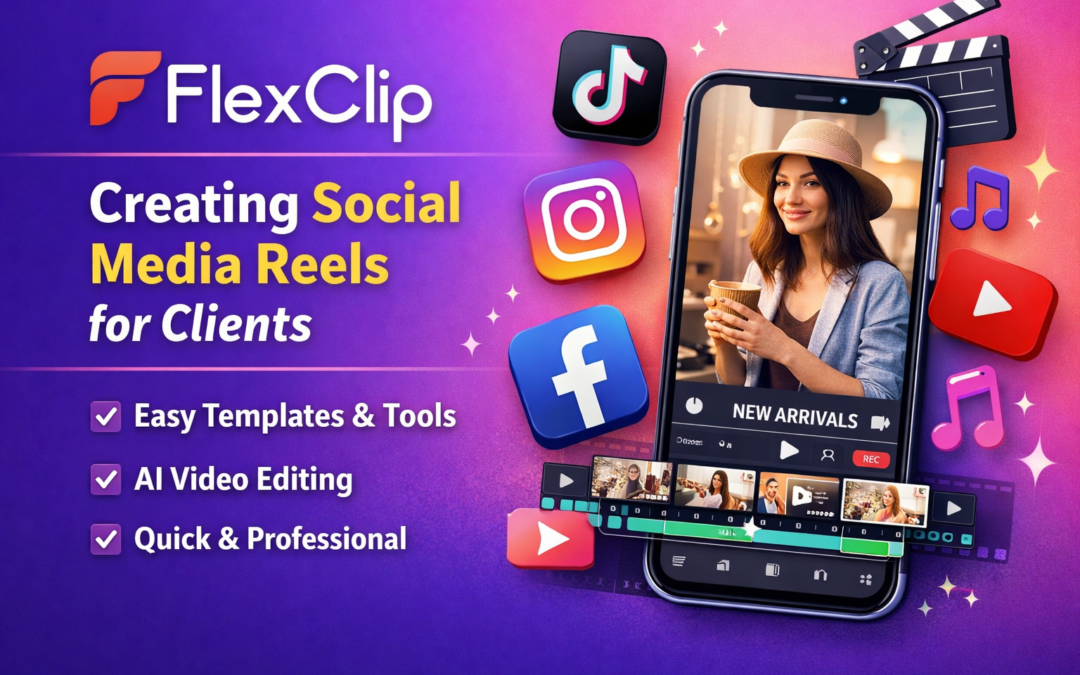
Video content is no longer optional for businesses. Whether you are building a personal brand, running a service-based business, or selling products online, short-form video is one of the most powerful ways to connect with your audience.
As a digital marketer managing social media for clients, I am constantly creating reels, short videos, and website intro clips. Over the years I have tried many video editing tools, but one platform I keep returning to is FlexClip.
It has become one of my favourite tools because it makes creating professional looking videos quick, simple, and surprisingly enjoyable.
What Is FlexClip?
FlexClip is an online video editor designed to help creators and businesses produce professional videos quickly without needing advanced editing skills. The platform includes AI tools, templates, stock media, music, and simple drag-and-drop editing features.
Instead of spending hours editing videos manually, FlexClip allows you to build engaging content in minutes.
For busy business owners or social media managers like me, that efficiency is incredibly valuable.
Why I Use FlexClip for Client Reels
Creating reels for clients means producing consistent content that looks polished while staying on brand.
Here are some of the reasons it has become part of my regular workflow.
It Makes Video Creation Fast
When you manage multiple client accounts, speed matters.
FlexClip allows you to upload footage, trim clips, add music, include captions, and export a finished video without complicated editing processes.
Because everything is browser-based, there is no software to download or update.
You simply log in and start creating.
The Templates Are a Lifesaver
One of the things I love most about FlexClip is the huge range of templates.
Some days creativity flows easily. Other days you stare at the screen wondering where to start.
That is when templates become incredibly useful.
FlexClip offers professionally designed templates for social media, promotional videos, business intros, and more.
Instead of building a video from scratch, you can choose a template, swap in your client’s content, adjust colours or text, and export.
It saves hours.
Perfect for Short-Form Content
FlexClip makes it easy to adjust the aspect ratio of videos so they work across different platforms.
Whether you are creating content for:
Instagram reels
TikTok
YouTube shorts
Facebook videos
LinkedIn posts
You can optimise the video size in one click.
This is especially helpful when repurposing the same video across multiple platforms.
Built-In AI Tools Help Speed Up the Process
FlexClip also includes several AI features that make content creation faster.
Some of the tools I regularly use include:
Automatic subtitle generation
AI text-to-video creation
Voiceover tools
Script generation assistance
AI image tools
When you are producing content regularly for multiple clients, these features help streamline the process and save valuable time.
A Great Tool for Beginners and Professionals
One of the best things about FlexClip is that it works for both beginners and experienced marketers.
You don’t need professional editing skills to create great looking videos. The interface is simple and intuitive, which means even someone new to video editing can produce professional results quickly.
At the same time, it offers enough flexibility for marketers and content creators who produce video content regularly.
Why It Has Become Part of My Content Workflow
FlexClip has become one of those tools I rely on regularly when creating social media content for clients.
It allows me to produce reels quickly, maintain brand consistency, and keep content flowing without spending hours editing videos.
For business owners who want to show up consistently online, tools like this make video marketing far more manageable.
If you are creating regular video content for your business, FlexClip is definitely worth exploring.
This website uses cookies to improve your experience. We'll assume you're ok with this, but you can opt-out if you wish. Cookie settingsACCEPT
Privacy & Cookies Policy
Privacy Overview
This website uses cookies to improve your experience while you navigate through the website. Out of these cookies, the cookies that are categorized as necessary are stored on your browser as they are essential for the working of basic functionalities of the website. We also use third-party cookies that help us analyze and understand how you use this website. These cookies will be stored in your browser only with your consent. You also have the option to opt-out of these cookies. But opting out of some of these cookies may have an effect on your browsing experience.
Necessary cookies are absolutely essential for the website to function properly. This category only includes cookies that ensures basic functionalities and security features of the website. These cookies do not store any personal information.
Any cookies that may not be particularly necessary for the website to function and is used specifically to collect user personal data via analytics, ads, other embedded contents are termed as non-necessary cookies. It is mandatory to procure user consent prior to running these cookies on your website.